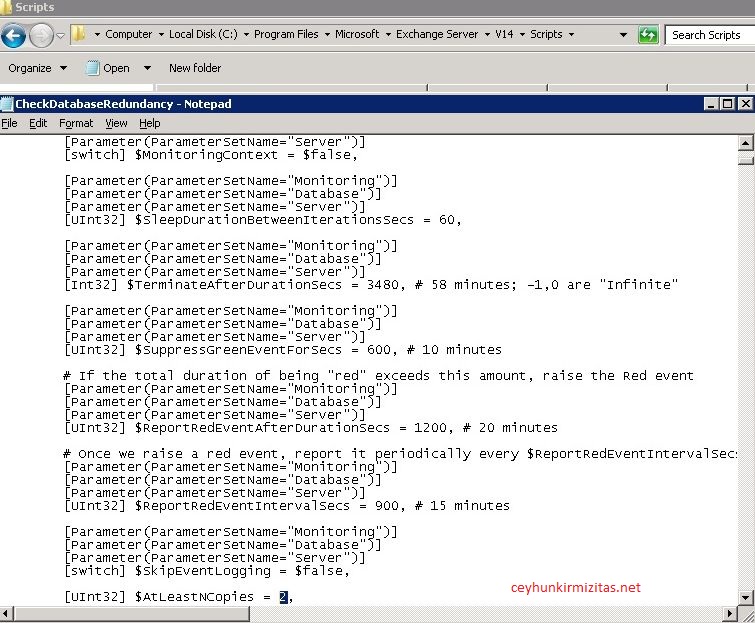
If you are using Database Availability Group (DAG), Microsoft Exchange Replication service monitors database redundancy by calling CheckDatabaseRedundancy.ps1 script in default script folder. It ensures that each replicated database has at least two copies and a healthy copy to make it redundant. CheckDatabaseRedundancy.ps1 script is run hourly by the Microsoft Exchange Replication service to perform a redundancy health check for replicated databases .
If Exchange finds that a replicated database doesn?t have sufficient healthy copies, the Microsoft Exchange Replication Service – MSExchangeRepl – logs an event id: 4113 (Error: MSExchangeRepl Database redundancy health check failed) as shown below.
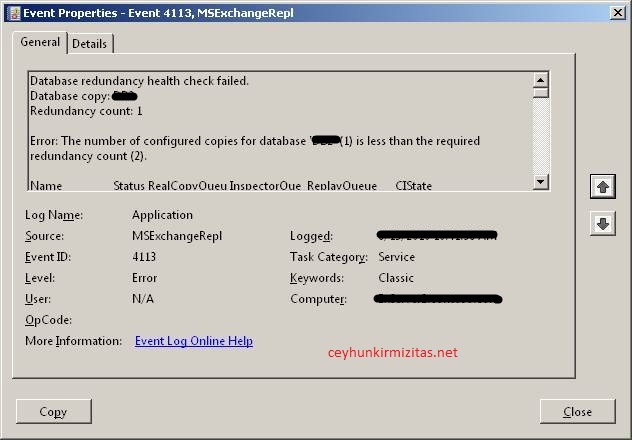
The information captured in the event reports that only one copy exists, which is what I expected. The Replication Service will continue to check and log event 4113 for the database every twenty minutes until it goes into a state where sufficient redundancy exists to accommodate an outage and allow the failed copy of the database to failover to a healthy copy.
You can modify redundancy count by adjusting AtLeastNCopies parameter in ” C: Program Files–>Microsoft–>Exchange Server->V14->Scripts->CheckDatabaseRedundancy.ps1″