There are many reasons you may need to reset password in Ubuntu Linux:
- You just installed Ubuntu and forgot what password you selected during the installation.
- You have too many passwords in your mind.
- You took Ubuntu from somebody else but you do not know username password.
This tutorial shows you how to reset password in Ubuntu Linux.
Steps to Reset Ubuntu Password
1. Turn your computer on or Reboot if it is already powered-on.
2. Press ESC at the GRUB prompt.
3. Press e for edit.
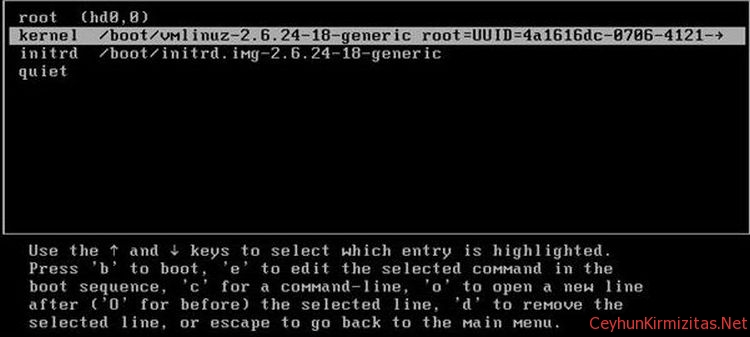
4. Highlight the line that begins “kernel “, press e
5. Go to the very end of the line, add rw init=/bin/bash
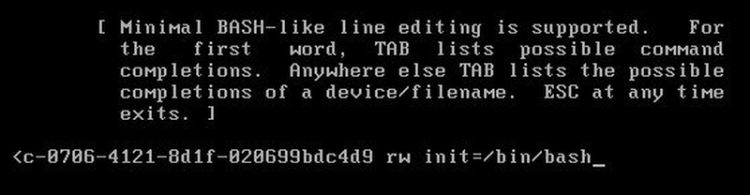
6. Press enter, then press b to boot your system.
Your system will boot up to root shell without prompting password.
7. To reset your password, type passwd <username>
8. Use reboot command in order to reboot your system