This article shows how to uninstall McAfee Agent when it is in Managed Mode from computer.
Problem: The following message displays when select Remove for the McAfee Agent through Add \ Remove Programs or Programs and Features on client computers:
” McAfee Agent cannot be removed while it is in managed mode ”
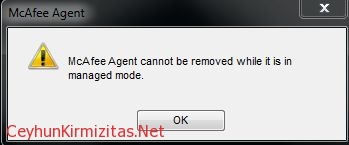
As long as the agent is in Managed Mode or being managed by ePO server, this message appears.
Solution:
The computer must be removed from Managed Mode
Steps to uninstall McAfee Agent:
1- Open Command Prompt
2- Go to the folder:
C:\Program Files (x86)\McAfee\Common Framework on X64 systems

C:\Program Files\McAfee\Common Framework on X86 systems
3- Run the ” frminst.exe /remove=agent ” command without quotes
