
Common Network Utilities in Linux

Common Network Utilities in Linux

Linux
Computers are connected in a network to exchange information or resources each other. Maintaining of system and network up and running is an essentials task of System or Network Administrator’s job. In this tutorial, I will explain various tools which can be useful when networking with other computers both within the network and across the internet, obtaining more information about other computers. ping - Determine if remote host is up/available telnet - Determine if local/remote service is available netstat - Shows network connections, routing tables, interface statistics netstat -a - dumps ALL sockets with: service/port and hostname resolution netstat -an - same as above, but suppresses name resolution netstat -ntl - suppresses name resolution, shows all TCP and listeners netstat -ntlp - same as above, includes programs bound to ports netstat…
Read More
Installing Arch Linux 2013.05.01 + Xfce 4.10 in VMware Workstation 9

Installing Arch Linux 2013.05.01 + Xfce 4.10 in VMware Workstation 9

Linux, Video Tutorials
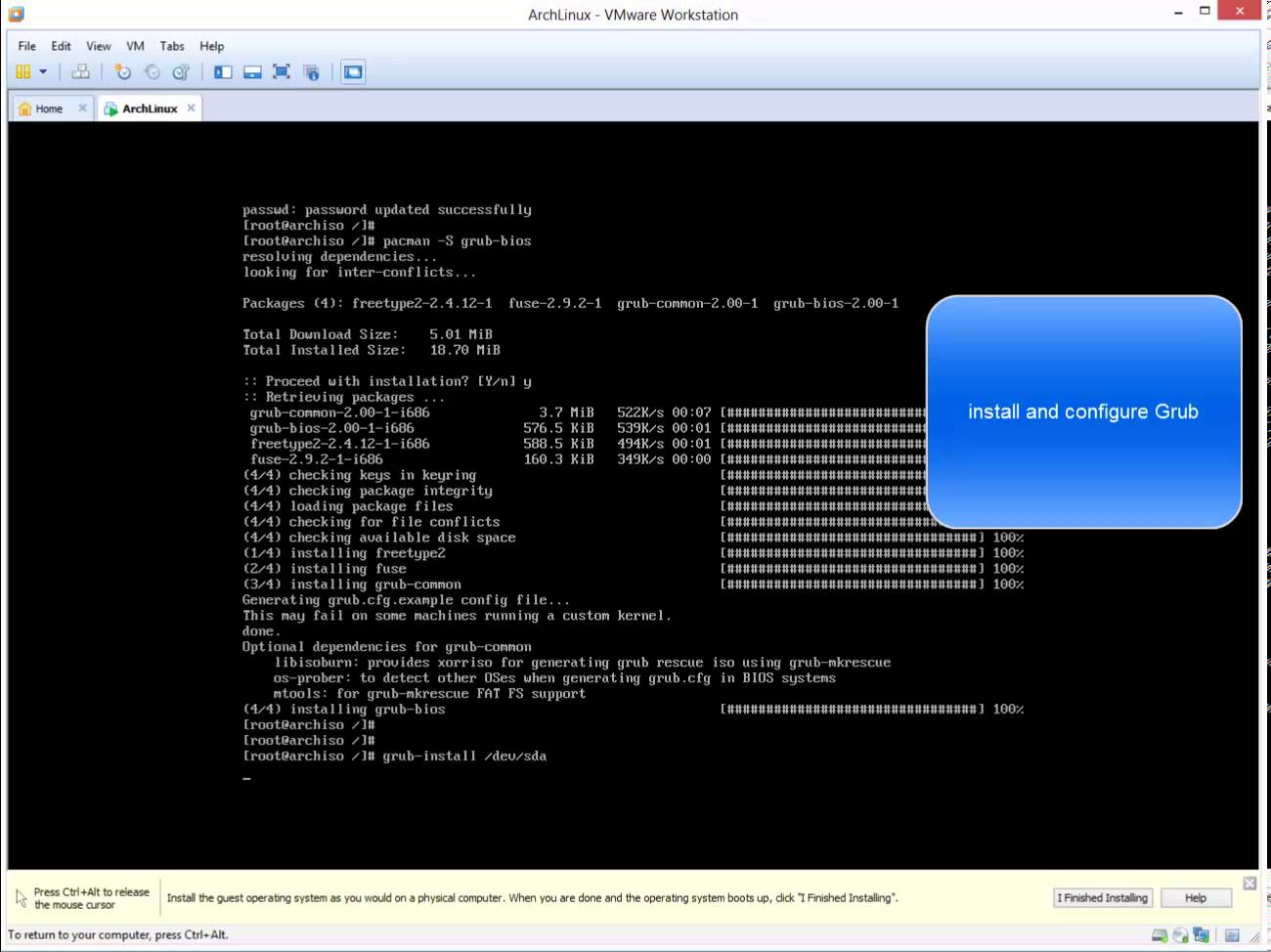
What is Arch Linux? Arch Linux is an independently developed general purpose GNU/Linux distribution. Development focuses on simplicity, minimalism. Arch Linux was founded by Canadian programmer Judd Vinet. Its first formal release, Arch Linux 0.1, was on March 11, 2002. Although Arch is completely independent, it draws inspiration from the simplicity of other distributions including Slackware, CRUX and BSD. Arch Linux is one of my favorite GNU/Linux distributions, however it is not as easy to install as are other Linux distributions. Related Video: https://www.youtube.com/watch?v=8ILPjsZvs8Y Hope you found it informative and useful. Any questions or comments are welcomed.
Read More

SSH Connection: Wait long after entering username – ssh password prompt delay

Linux
When I make ssh connection I get long wait just after entering username. It's most likely that ssh daemon  is set up to do a DNS reverse-lookup on the host that's connecting. So, sshd try to find reverse DNS record for a while before prompting you password. If you do not want to wait,  you can either add your client's ip and hostname information to /etc/hosts file on linux or you can disable reverse dns lookup in /etc/ssh/sshd_config 1- Open your terminal window 2- Edit /etc/ssh/sshd_config 3- Add UseDNS no at the end 4- Restart your ssh daemon
Read More
WinRM service failed to create the following SPNs: WSMAN – Event ID:10154

WinRM service failed to create the following SPNs: WSMAN – Event ID:10154

Linux, Windows Server
I was getting an error " The WinRM service failed to create the following SPNs: WSMAN/hostname; WSMAN/hostname. " at startup on Windows 2008 R2 Domain Controllers. Additional Data Log Name: System Source:  Microsoft-Windows-WinRM Event ID: 10154 Level:  Warning Solution: WinRM runs under " Network Service " account. You can eliminate this problem by giving Validated Write to Service Principal Name  permission to the NETWORK SERVICE using the ADSIEDIT.msc. This will allow WinRM to auto create the necessary SPNs on that domain controller. After granting this permission, re-sync all DCs and do a reboot to each domain controller where you did the change,  after that reboot you will see that the warning is gone and the required SPNs were created successfully. Steps: 1- Use ADSIEDIT.msc 2- Choose Default naming context and…
Read More