How to Deploy Windows Server 2008 Read Only Domain Controller (RODC)

How to Deploy Windows Server 2008 Read Only Domain Controller (RODC)

Video Tutorials, Windows Server
Read-Only Domain Controller (RODC) is an additional domain controller for a domain that hosts read-only partitions of the Active Directory database. An RODC is designed primarily to be deployed in a branch office environment. Branch offices typically have relatively few users, poor physical security, relatively poor network bandwidth to a hub site, and little local IT knowledge. RODC is primarily aimed at providing additional security on an Active Directory Database for a server that is not physically secured. In this video we'll deploy Windows Server 2008 Read Only Domain Controller (RODC).
Read More
Moved Mailboxes Are Shown in Disconnected Mailbox – Exchange 2010 SP1 SP2 SP3

Moved Mailboxes Are Shown in Disconnected Mailbox – Exchange 2010 SP1 SP2 SP3

Exchange Server
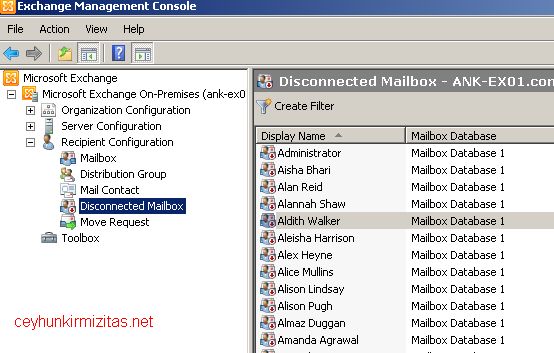
You have just moved some mailboxes from one Exchange 2010 SP1 ( or later ) mailbox database to another mailbox database but all the moved mailboxes are shown in disconnected mailboxes. This happens because of the "Soft Deleted mailboxes". Exchange doesn?t fully delete the mailbox from the source database immediately after completion of the move. Instead, the mailbox in the source mailbox database is switched to a soft-deleted state. The soft-deleted mailboxes are retained in the source database until either the deleted mailbox retention period expires or you use the Remove-StoreMailbox cmdlet to purge the mailbox.   You can see soft-deleted mailbox by running the following shell command Get-MailboxStatistics ?Database ?Mailbox Database Name? | Where-Object {$_.DisconnectReason ?eq ?Softdeleted?} You can delete all soft deleted mailboxes from a particular Mailbox Database by…
Read More
Installing and Configuring Data Protection Manager 2010 for Exchange Server 2010 SP2

Installing and Configuring Data Protection Manager 2010 for Exchange Server 2010 SP2

Exchange Server, System Center, Video Tutorials
A System Center Data Protection Manager (DPM) 2010 installation includes two primary tasks: installing the DPM prerequisite software and installing the DPM application. The DPM Setup Wizard guides you through the process of specifying the DPM installation settings, and automatically installs the prerequisite software as part of an integrated DPM installation process. Important Note: DPM 2010 is not supported on the Turkish language version of Windows Server 2008 or Windows Server 2008 R2. If the automatic installation of one or more of the DPM prerequisite software products fails, you can install the prerequisite software manually. Before installing DPM, note the following: All computers that you use for your DPM installation must meet at least the minimum hardware and software requirements. DPM Setup stops the Removable Storage service before installing DPM. After you install DPM, you…
Read More
How to Restore Exchange 2010 Mailbox to Different Mailbox

How to Restore Exchange 2010 Mailbox to Different Mailbox

Exchange Server, Video Tutorials
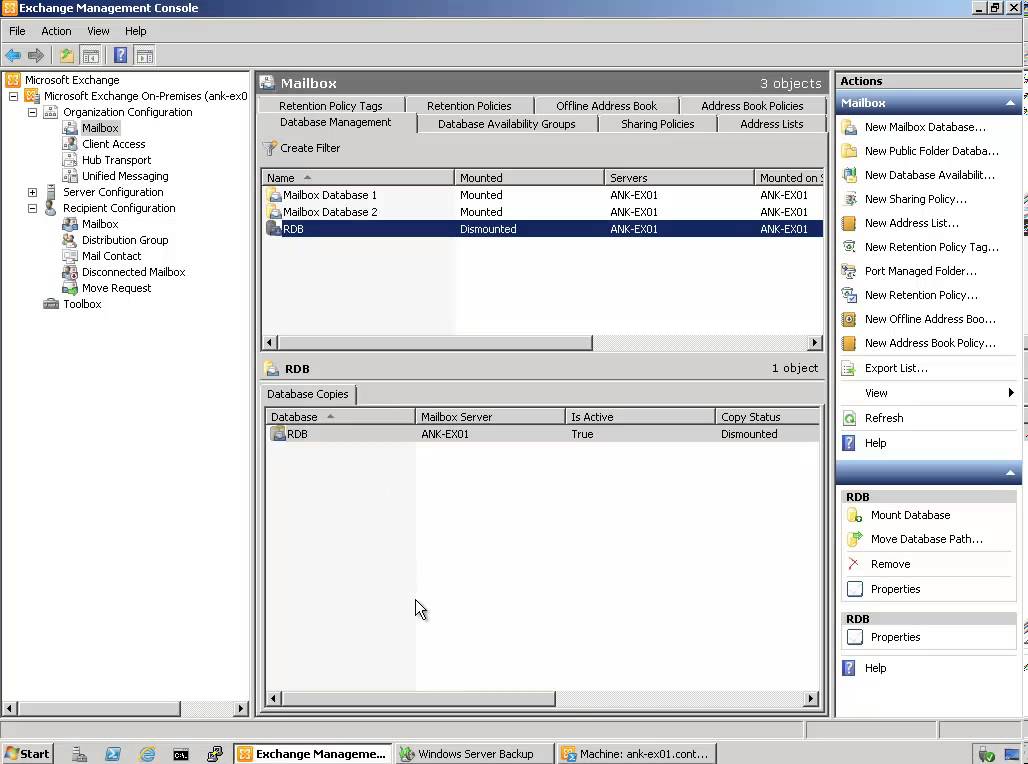
Exchange 2010 no longer has the notion of Storage Groups, which were used in Exchange 2007 and 2003 to contain logical groupings of databases. Exchange 2010 now simply lets you create databases on mailbox servers. The difference is that in Exchange 2003/2007, you created a Recover Storage Group (RSG) to restore the database into. In Exchange 2010, you simply restore the database and connect to it as a Recovery Database (RDB). First,  you have to have a good backup that contains the item to be recovered. Windows Server 2008 and Windows Server 2008 R2 have the built-in Windows Server Backup feature. I cover how to use Windows Server Backup to backup Exchange in this article. Without the ability to restore an individual mailbox, it is necessary to first restore an entire…
Read More
How to Configure Windows 2008 Fine-Grained Password Policy

How to Configure Windows 2008 Fine-Grained Password Policy

Video Tutorials, Windows Server
In previous versions of Active Directory, we had only one password policy for the entire domain. Some companies had to use multiple domains to place different password policies on different users or buy third party solutions. In Windows Server 2008, you can use fine-grained password policies to specify multiple password policies and apply different password restrictions and account lockout policies to different sets of users within a single domain. Password polices are designed to control what kind of password a user can have and how often the user needs to change it. Strong password policies are important to help protect your system and data.
Read More
The replica of Exchange Mailbox Database is inconsistent – Data Protection Manager 2010

The replica of Exchange Mailbox Database is inconsistent – Data Protection Manager 2010

System Center
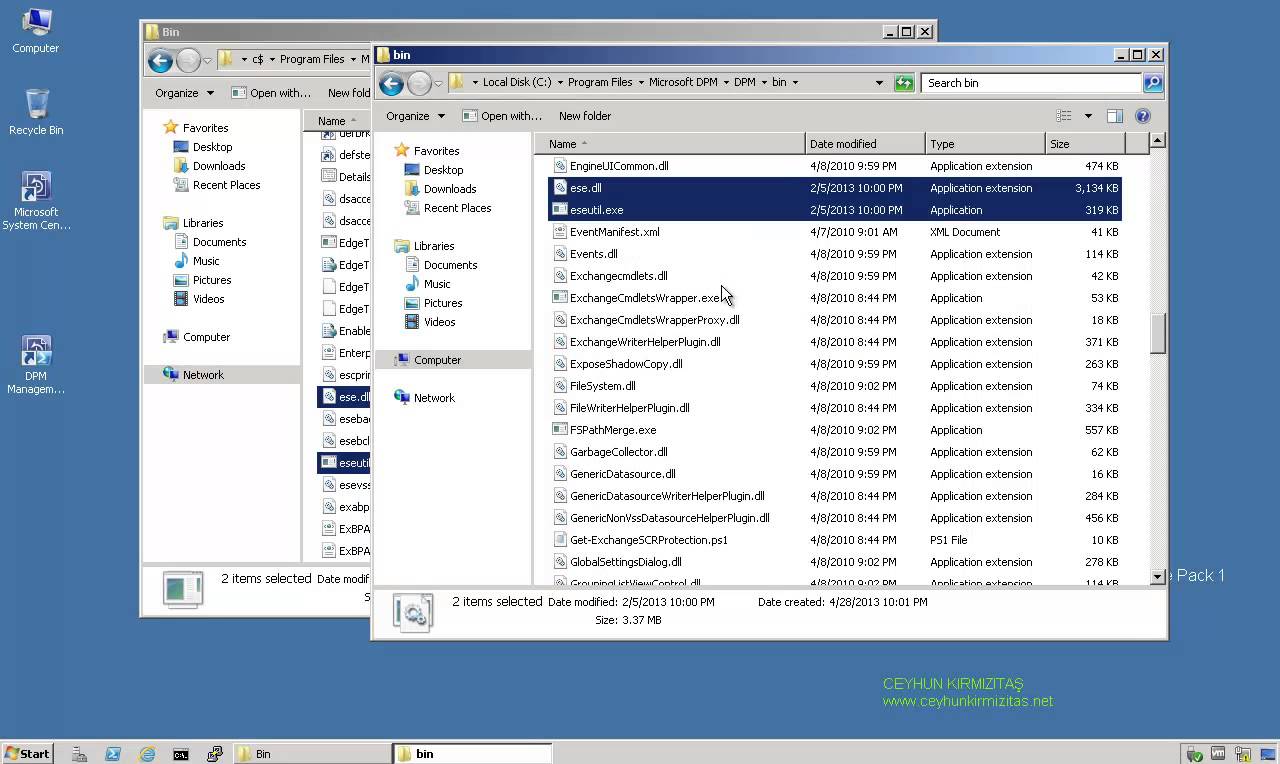
Description: The replica of Exchange Mailbox Database on ExchangeServerNameFQDN is inconsistent with the protected data source. All protection activities for data source will fail until the replica is synchronized with consistency check. You can recover data from existing recovery points, but new recovery points cannot be created until the replica is consistent. Data consistency verification check failed for LOGS of Exchange Mailbox Database on ExchangeServerNameFQDN. (ID 30146 Details: Unknown error (0xc0000135) (0xC0000135)) Recommended action: Copy " eseutil.exe and ese.dll " from Exchange Server " C:\Program Files\Microsoft\Exchange Server\V14\Bin " to the DPM server " C:\Program Files\Microsoft DPM\DPM\bin " folder.
Read More
Microsoft Exchange POP3 service terminated with the following error: No site name is available for this machine

Microsoft Exchange POP3 service terminated with the following error: No site name is available for this machine

Exchange Server
Problem: The Microsoft Exchange POP3 service terminated with the following error: No site name is available for this machine. Solution Associate a Subnet with Default-First-Site-Name Open Active Directory Sites and Services Console. Double-click the Sites node that corresponds to the Site where the Exchange Server resides, and then right-click Subnets. Click New Subnet on the shortcut menu. Type the IP address, and the subnet mask of the subnet, and then click Default-First-Site-Name on the Site Name list. Click OK to close the New Object-Subnet dialog box. Set the Site Membership Start Registry Editor, Regedit.exe. Locate and click the following registry key: HKEY_LOCAL_MACHINE\System\CurrentControlSet\Services\Netlogon\Parameters On the Edit menu, point to New, and then click String Value. Type SiteName to change the name of the newly created value, and then press ENTER. Double-click the…
Read More
Restart Remote Computers vbscript

Restart Remote Computers vbscript

Scripts
Need to restart all the Windows computers on the network? This script reads a text file populated with computer names and performs the remote remote restart on them. I use this all the time to forcibly restart computers that are still logged on - but in distant locations on the network - when performing system maintenance and software upgrades outside of office hours. ‘ *************************************************************** ‘ * Script to Restart Network Computers ‘ * based on computers names list in a file. ‘ * This script checks computer’s availability first via WMI ping ‘ * Ceyhun Kirmizitas ‘ *************************************************************** On Error Resume Next Dim strComputer Dim objShell, objExec, strCmd, strTemp Set fso = CreateObject("Scripting.FileSystemObject") Set objInputFile = fso.OpenTextFile("Dclist.txt",1,True) Do While objInputFile.AtEndOfLine <> True strComputer = objInputFile.ReadLine WScript.Echo strComputer & "…
Read More
How to Manage Local Password Policy on Windows Server 2008 Core

How to Manage Local Password Policy on Windows Server 2008 Core

Video Tutorials, Windows Server
Windows Server 2008 Core is a minimal server installation option for computers running on the Windows Server 2008 operating system. Server Core provides a low-maintenance server environment with limited functionality. Windows Server 2008 Core supports the following server roles: Active Directory Domain Services (AD DS) Active Directory Lightweight Directory Services (AD LDS) DHCP Server DNS Server File Services Print Services Streaming Media Services Internet Information Services (IIS) Virtualization Local Security Policy allows enforcing many system, user and security-related settings, such as password policy, audit policy and user rights. Event Viewer can then be used to check log events.
Read More
Wake on Lan (WOL) Does NOT Work After Upgrading to Windows 10 from Windows 8.1 or Windows 7

Wake on Lan (WOL) Does NOT Work After Upgrading to Windows 10 from Windows 8.1 or Windows 7

Windows 10
What is Wake on LAN (WOL): It is powerful and convenient feature that enables users to remotely power up their computer over a network, saving energy while also allowing remote access to the computer when needed. Problem: Wake on LAN (WOL) stopped working after upgrading to Windows 10 from Windows 8.1 or Windows 7. In my case, I use Realtek PCIe GBE Family Controller. Even though I did all settings for WOL such as  disabling turn on fast startup, configuring adapter options related to WOL, and etc, WOL is not working. My environment: Previous OS: Windows 8.1 Pro x64 Current OS: Windows 10 Pro x64 Mainboard: Asus H87-Plus NIC: Onboard Realtek PCIe GBE Family Controller NIC driver version: 9.1.401.2015 released on April 1, 2015 Cause: Realtek Ethernet Card driver that comes with Windows update…
Read More