How to Perform Step by Step Exchange 2010 Single Mailbox Item Restore with Windows Server Backup

Exchange Server, Video Tutorials
Exchange Server 2010 no longer has the notion of Storage Groups, which were used in Exchange 2007 and 2003 to contain logical groupings of databases. Exchange 2010 now simply lets you create databases on mailbox servers. The difference is that in Exchange 2003/2007, you created a Recover Storage Group (RSG) to restore the database into. In Exchange 2010, you simply restore the database and connect to it as a Recovery Database (RDB). While the main purpose of Exchange backup is to enable server, storage, and datacenter disaster recovery scenarios, a common and routine request of Exchange admins is to restore an individual mailbox. Microsoft does not provide a native and fully automated way to granularly restore a single mailbox from an Exchange database backup. In this video I'll demonstrate the…
Read More

Event ID: 16 Client Access server failed to proxy Exchange Web Services to Active Directory site

Exchange Server
Log Name:      Application Source:        MSExchange Web Services Event ID:      16 Task Category: Core Level:         Error Keywords:      Classic User:          N/A Description: Client Access server Internet-Facing-CAS-Name failed to proxy Exchange Web Services to Active Directory site CN=Default-First-Site-Name,CN=Sites,CN=Configuration,DC=yourdomain,DC=tld because there are no applicable Client Access servers in the destination site. Please check the configuration of the servers in site [No Server]. If you have an Exchange Server 2010 infrastructure that contains more than 1 Client Access Server (CAS) with 1 Internet facing and the rest are not, then you may see this error message in application log in Internet Facing CAS server. The problem is that the Internet Facing CAS proxies the request for Exchange Web Services (EWS) to the Non-Internet facing CAS. It is failing because the servers are not trusting the…
Read More
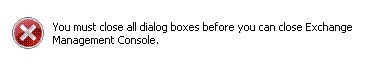
EMC cannot Close after Installing IE9 – You must close all dialog boxes before you can close Exchange Management Console

EMC cannot Close after Installing IE9 – You must close all dialog boxes before you can close Exchange Management Console

Exchange Server
After Internet Explorer 9 is installed on the server, you can not close the EMC. Instead you will have a dialog box saying "You must close all dialog boxes before you can close Exchange Management Console". However, you can't find any open dialog boxes for Exchange Management Console. Only way to close it is via task manager. Solution: 1. Turn off "Internet Explorer Enhanced Security Configuration" for Administrators and Users 2. Add " https://localhost "  and " http://localhost " to the "trusted sites" in IE9 3. Reboot your server UPDATE Interm  fixes are not needed anymore. Fix is now included within the official Internet Explorer Update  
Read More
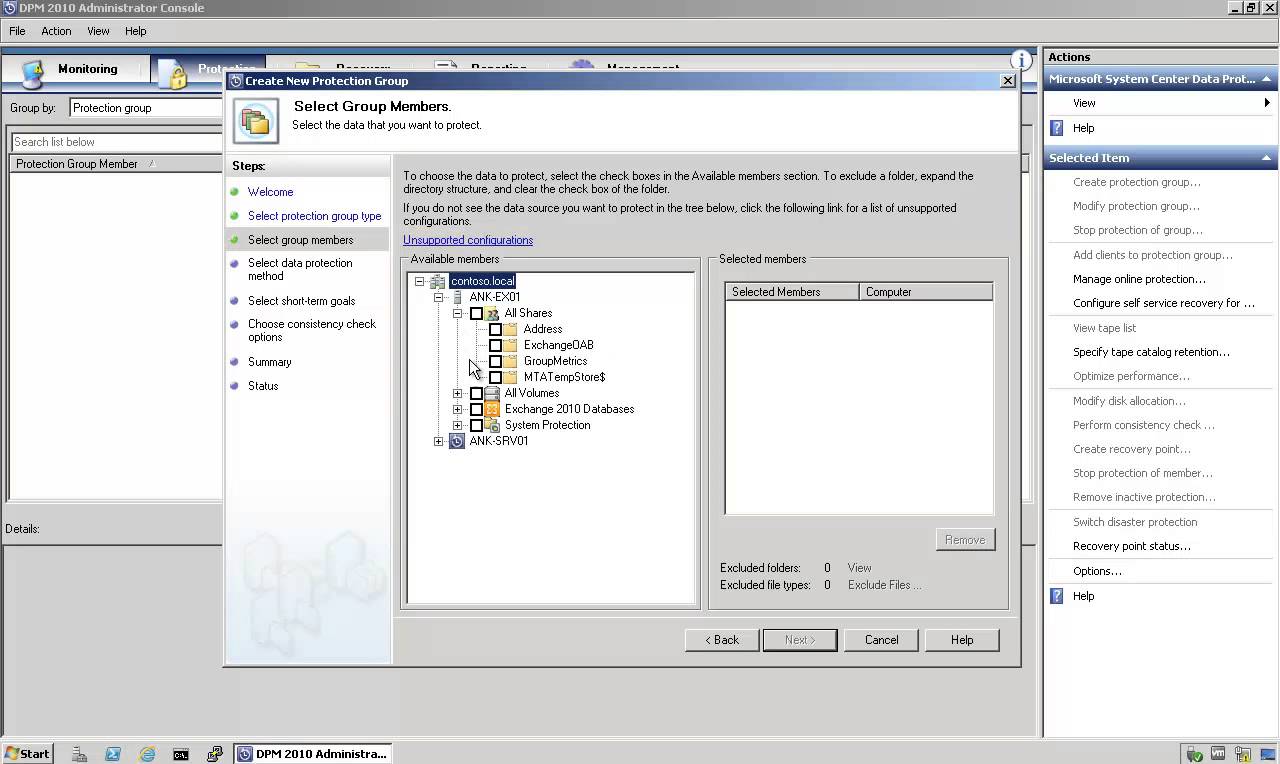
How to Backup and Restore Exchange 2010 Mailbox Database with DPM 2010

How to Backup and Restore Exchange 2010 Mailbox Database with DPM 2010

Exchange Server, System Center, Video Tutorials
DPM 2010 supports the following five types of recovery for Exchange Server 2010 mailbox databases: Recover the database to its original location: Overwrite the existing copy of the database. Recover the database to an alternate database: Restore to another database on an Exchange Server. Recover to an Exchange Recovery database: Recover to an Exchange Recovery database instead of a standard mailbox database. Recover to network location: Copy the database to a network folder. Copy to tape: Create an on-tape copy of the database.
Read More