Introducing VMFS 5: What you need to know in a nutshell – vSphere 5

Introducing VMFS 5: What you need to know in a nutshell – vSphere 5

VMware
It?s new, and it?s good :) VMFS-5 increases limits (without increasing extents) to 64TB. It enables 2TB+ RDMs. It uses a common allocation size of 1MB. It increases the small block allocations available for total use. It is a dependency for SCSI UNMAP It uses the VAAI HW accelerated locking more extensively. Be aware: While it can non-disruptively be upgraded from VMFS-3 to VMFS-5 - if it were my environment - I would tend to create new datastores and svmotion.
Read More
How to Install VMware Tools in CentOS 6.4

How to Install VMware Tools in CentOS 6.4

Linux, Video Tutorials, Workstation
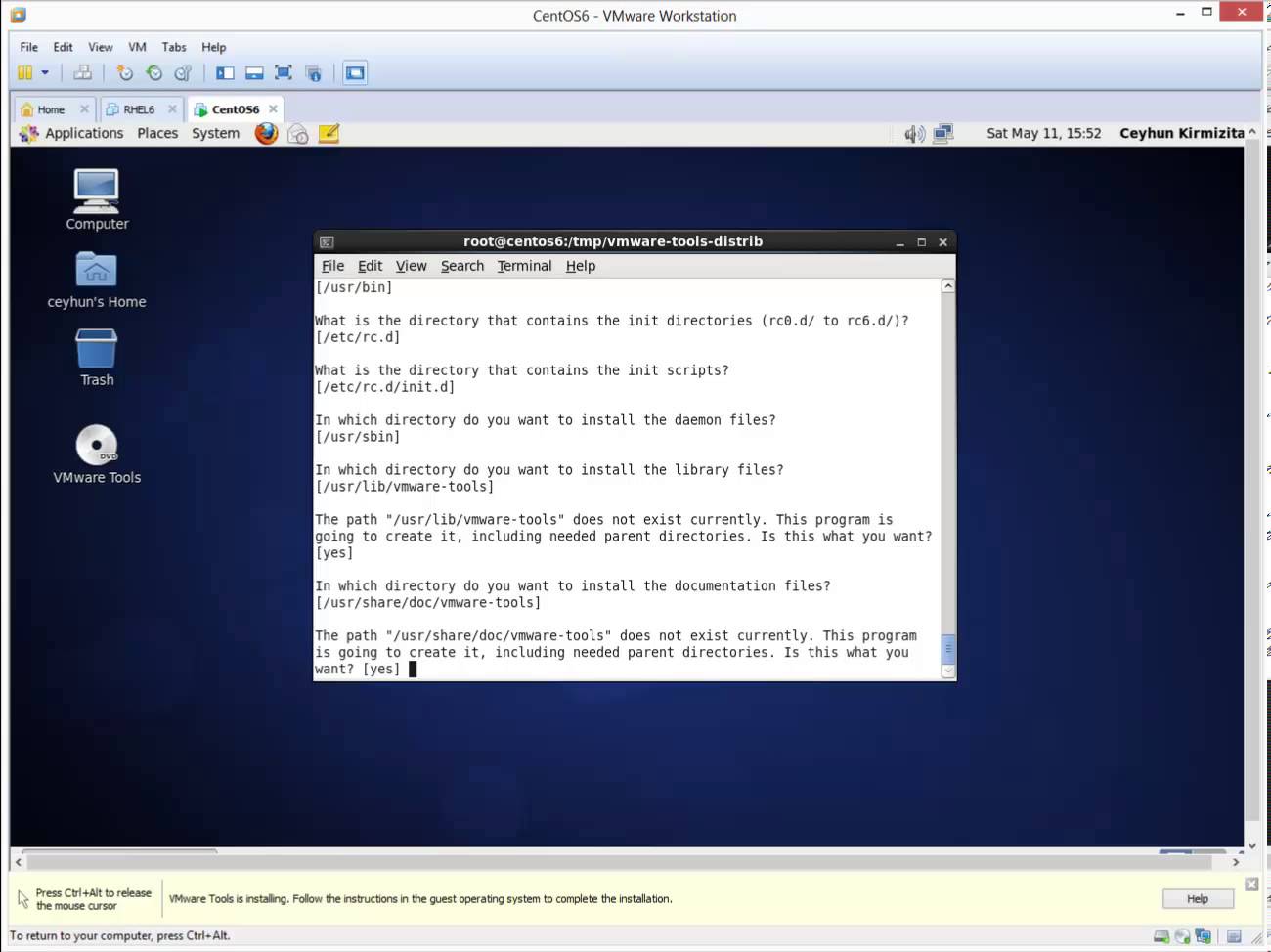
VMware Tools is an optional, free set of drivers and utilities that enhances both the performance of a virtual machine’s guest operating system and interaction between the guest and the host. From time to time I find clients have not installed the VMware tools in their virtual machine’s (VM) operating system. Although the guest operating system can run without VMware Tools, you lose important functionality and convenience. Related Video:  https://www.youtube.com/watch?v=pO7iZbuTYJU
Read More
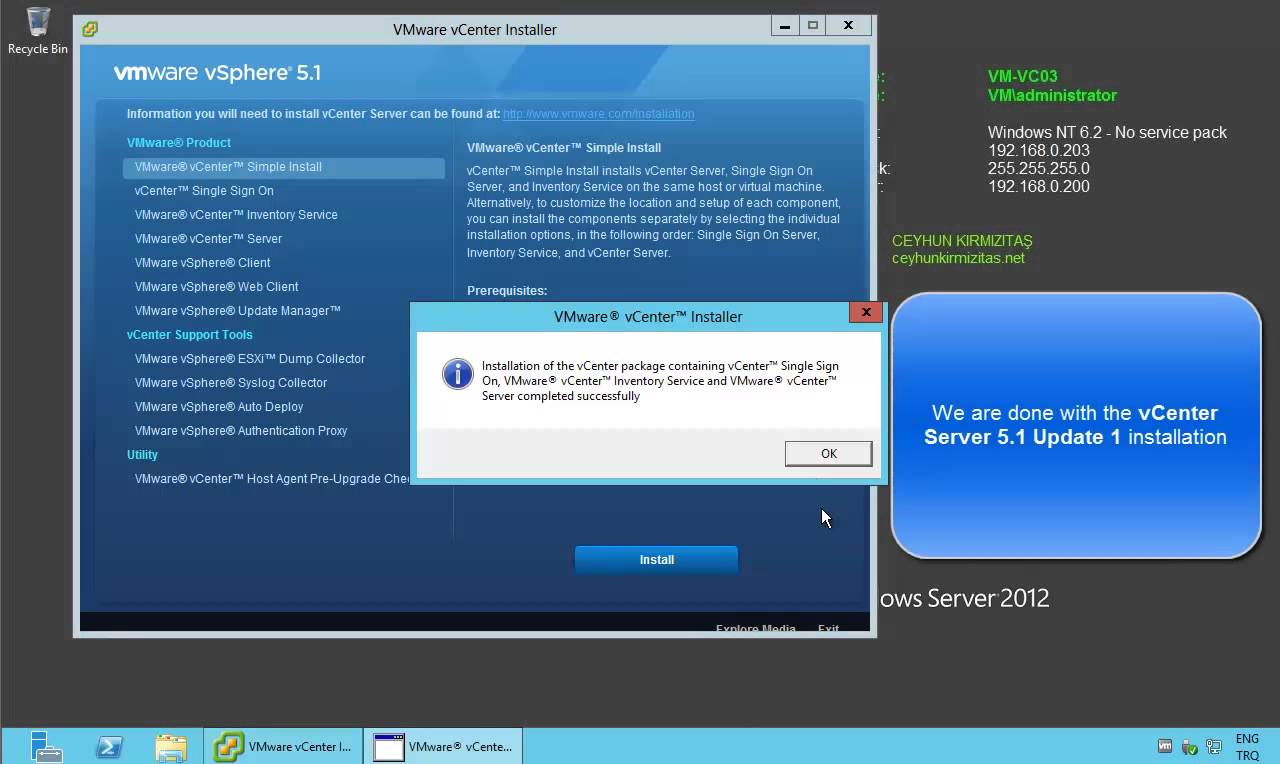
Installing VMware vCenter Server 5.1 Update 1 on Windows Server 2012

Installing VMware vCenter Server 5.1 Update 1 on Windows Server 2012

Video Tutorials, vSphere
VMware released the new version of vCenter server which is 5.1 update 1, with new improvements and features. Such as:  vCenter Server is now supported on Windows Server 2012 Additional vCenter Server Database Support: vCenter Server now supports the following databases. Microsoft SQL Server 2012 Microsoft SQL Server 2008 R2 SP2 vCenter Essentials no longer enforces vRAM usage limit of 192 GB vCenter 5.1 Requirements VMware recommends 10GB of RAM if you are planning to install all components on a single server (which is what the simple install does). 64-bit dual logical CPU cores have been required since vSphere 4.1, so no change here. You will also need at least 40-60GB of free disk space after installation (100GB recommended). vCenter Server supports IBM DB2, Oracle, and Microsoft SQL Server databases.…
Read More
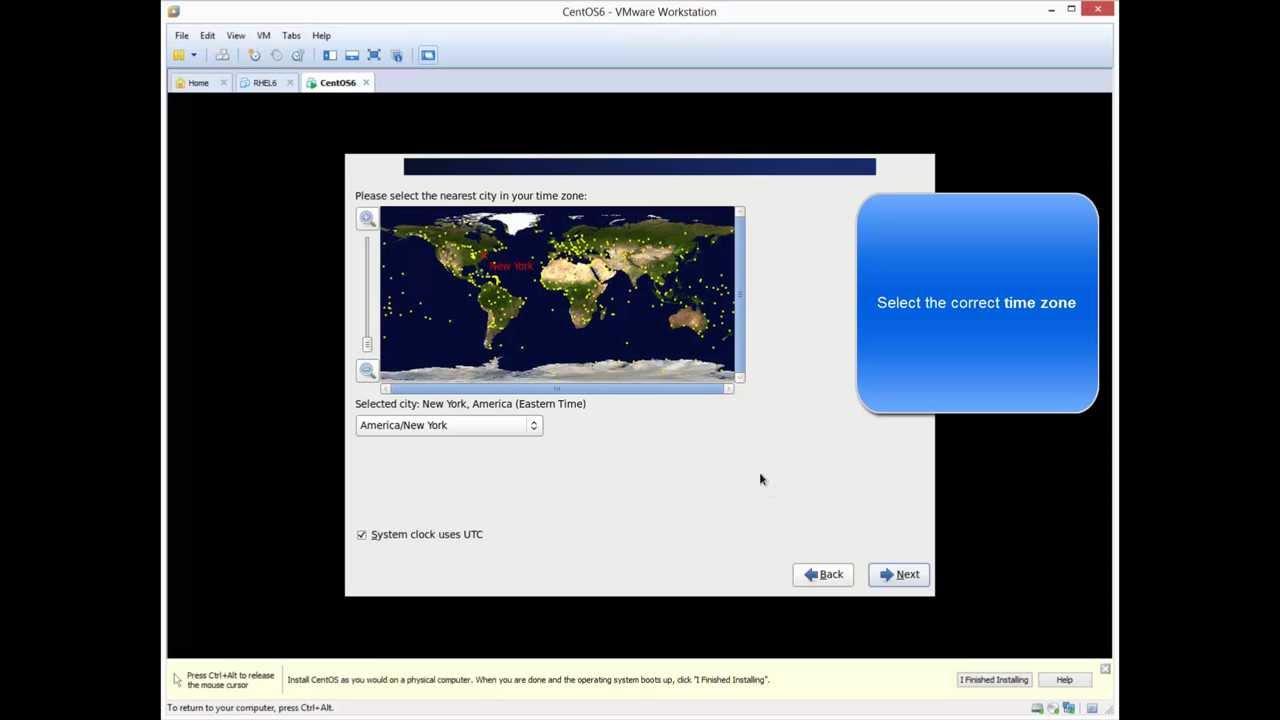
Installing CentOS 6.4 in VMware Workstation 9.0.2

Installing CentOS 6.4 in VMware Workstation 9.0.2

Linux, Video Tutorials, Workstation
What is CentOS? CentOS, which stands for the Community Enterprise Operating System, is a distribution of the Linux operating system based on Red Hat Enterprise Linux (RHEL). It is currently the most popular Linux distribution for web servers. CentOS uses the Red Hat source code base to create a product similar to RHEL. Unlike RHEL however, CentOS does not require a paid subscription. In January 2014, Red Hat announced that it would sponsor the CentOS project. As the result of these changes, ownership of CentOS trademarks was transferred to Red Hat. Related Video:  https://www.youtube.com/watch?v=pO7iZbuTYJU
Read More

How to Install VMware vCenter Server 5.1 Update 1 on Windows Server 2008 R2 SP1

Video Tutorials, vSphere
VMware released the new version of vCenter server which is 5.1 update 1, with new improvements and features. Such as: vCenter Server is now supported on Windows Server 2012 Additional vCenter Server Database Support: vCenter Server now supports the following databases. Microsoft SQL Server 2012 Microsoft SQL Server 2008 R2 SP2 vCenter Essentials no longer enforces vRAM usage limit of 192 GB vCenter 5.1 Requirements VMware recommends 10GB of RAM if you are planning to install all components on a single server (which is what the simple install does). 64-bit dual logical CPU cores have been required since vSphere 4.1, so no change here. You will also need at least 40-60GB of free disk space after installation (100GB recommended). vCenter Server supports IBM DB2, Oracle, and Microsoft SQL Server databases.…
Read More
Step by Step Upgrade from VMware vCenter Server 5.0 to vCenter Server 5.1.0b

Step by Step Upgrade from VMware vCenter Server 5.0 to vCenter Server 5.1.0b

Video Tutorials, vSphere
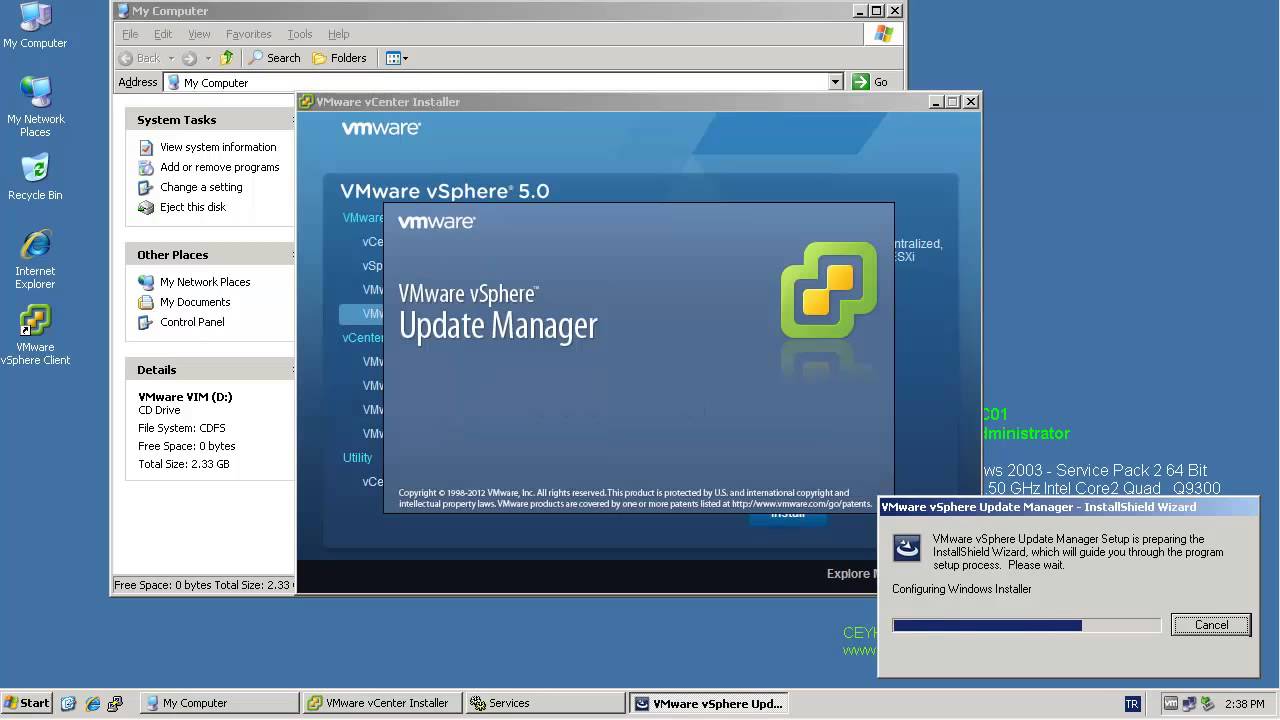
All vCenter Server Components have to be patched separately. The update process itself if strait forward and can usually been clicked through without answering much questions. Recommended Upgrade Sequence for VMware vCenter: Update vCenter Single Sign On Reboot Update VMware vCenter Inventory Service Update VMware vCenter Server Update VMware vSphere Web Client Update VMware vSphere Update Manager Update ESXi Hosts
Read More
How to Install VMware vCenter Server 5.0 on Windows Server 2003 X64 R2 SP2

How to Install VMware vCenter Server 5.0 on Windows Server 2003 X64 R2 SP2

Video Tutorials, vSphere
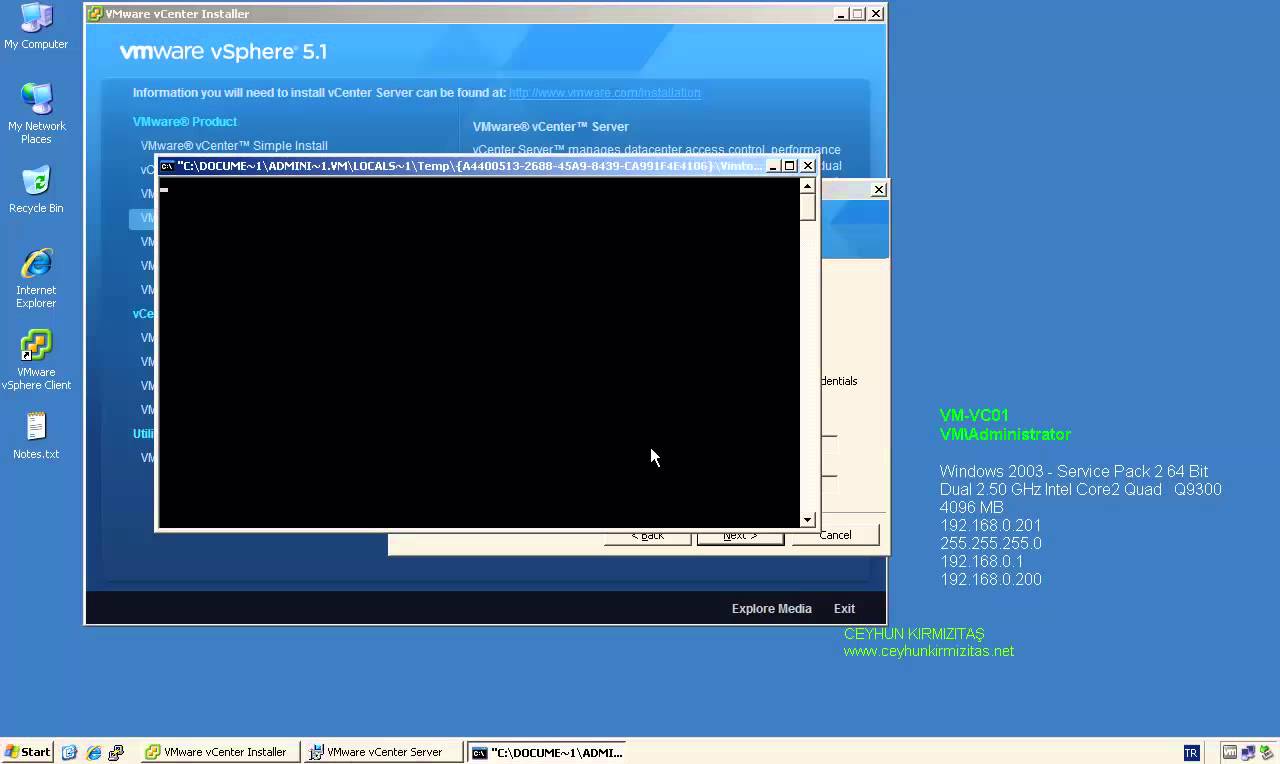
VMware vCenter Server is centralized management application and framework that serves as a proxy for managing ESXi hosts an their virtual machines. VMware vCenter Server allows you to centrally manage hosts from either a physical or virtual Windows machine, and enables the use of advanced features such as vSphere Distributed Resource Scheduler (DRS), vSphere High Availability (HA), vSphere vMotion, vSphere Storage vMotion, and vSphere Auto Deploy. VMware vCenter 5.0 comes in two flavors, one that is an “all-included” virtual appliance, and one that is a regular Windows installation package. Let’s take a look at vCenter installation. If you compare it to the vCenter 4 installation procedure you’ll see that VMware has added quite a few more things that can be installed. vCenter Server performs the following two key functions: Scalability:…
Read More

How to Install and Configure Microsoft SQL Server 2012 for VMware vCenter Server 5.1 Update 1

Video Tutorials, vSphere
Since vSphere 5.1 U1 it’s possible to install vCenter Server on Windows Server 2012. Also a Microsoft SQL 2012 is supported as an external database. Since the vSphere 5.1, the architecture of vCenter has changed and another database which name is Single Sign On is present. So there are three databases for vCenter: VMware vSphere 5.1 Single Sign-On VMware vSphere vCenter server VMware Update Manager All those database can be installed on a separate Microsoft SQL Server 2012 (this post) or on the same VM as vCenter server. SQL 2008R2 Express is still the database which is bundled with the VMware vSphere.
Read More
vSphere 5 ? New High Availability Agent ? FDM

vSphere 5 ? New High Availability Agent ? FDM

VMware
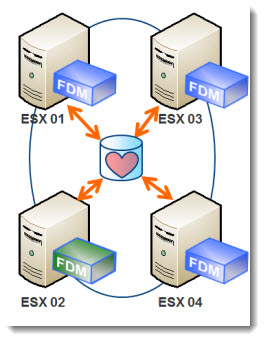
Another new feature in vSphere 5 is the way it?s handled the HA process. There is no more AAM agent like in vSphere 4.1. Instead, there has been a new agent introduced which is named FDM ? Fault Domain Manager. The Primary/Secondary concept with 5 primary nodes which has been known in vSphere 4, is gone. You no longer needs to worry not to loose all those 5 primary nodes at the same time ?. and loose the HA functionality for the rest of the cluster. Now there is only one agent in the cluster which plays the role of Master. The agent is called FDM ? Fault Domain Manager. One host takes the role of Master. The other agents on other hosts plays only roles as a Slaves, and…
Read More
Design Best Practices for VMware vSphere 4.1 and NetApp or EMC Storage

Design Best Practices for VMware vSphere 4.1 and NetApp or EMC Storage

VMware
Best Practices for VMware and Storage The best flexibility comes from a combination of VMFS and NFS Use NetApp or EMC vCenter plug-ins to automate your storage vendor best practices Use Multiple NFS datastores and 10GbE ( 1GbE requires more complexity to address I/O scaling due to one data session per connection with NFSv3) Avoid RDMs, use VMFS pools or NFS pools Make the VMFS and NFS datastores big Use SIOC if you have vSphere 4.1 or later ( Even if you do not use shares, it will ensure no VM swamps the others) Exception: Create planned datasore designs rather than having big pools for larger IO use cases. Oracle, Exchange, SAP etc.  
Read More