After Internet Explorer 9 is installed on the server, you can not close the EMC. Instead you will have a dialog box saying “You must close all dialog boxes before you can close Exchange Management Console”. However, you can’t find any open dialog boxes for Exchange Management Console. Only way to close it is via task manager.
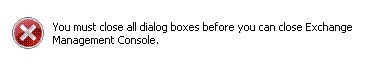
Solution:
1. Turn off “Internet Explorer Enhanced Security Configuration” for Administrators and Users
2. Add ” https://localhost ” and ” http://localhost ” to the “trusted sites” in IE9
3. Reboot your server
UPDATE
Interm fixes are not needed anymore. Fix is now included within the official Internet Explorer Update