In Exchange Hybrid environments, shared calendar behavior after mailbox migration is often misunderstood. Many assume that calendar access breaks when a mailbox is moved to Exchange Online. In reality, the outcome depends on how permissions were configured before the migration. This article walks through a controlled scenario and shows exactly what happens.
Scenario
We use two users:
Initial state:
- Both mailboxes are on on-prem Exchange
- Users can access each other’s calendars
Step 1 – Test Default Behavior (On-Prem → On-Prem)
Without assigning any permissions:
- Add calendar in Outlook
- Calendar is added successfully
- Only free/busy information is visible
- No subject or details
This is expected.
Default calendar permission:
AvailabilityOnlyStep 2 – Check Existing Permissions
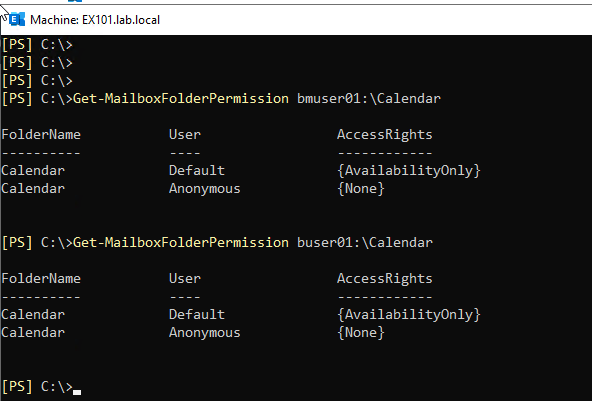
Verify current permissions:
Get-MailboxFolderPermission bmuser01:\Calendar
Get-MailboxFolderPermission buser01:\CalendarTypical result:
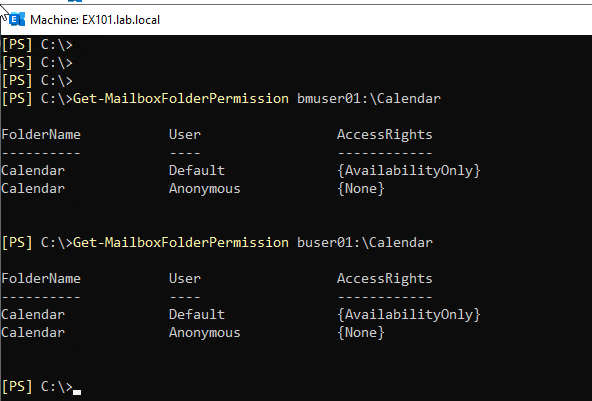
No explicit user permissions are configured.
Step 3 – Assign Explicit Permission
Grant Reviewer access:
Add-MailboxFolderPermission bmuser01:\Calendar -User buser01 -AccessRights Reviewer

Add-MailboxFolderPermission buser01:\Calendar -User bmuser01 -AccessRights ReviewerStep 4 – Verify Access
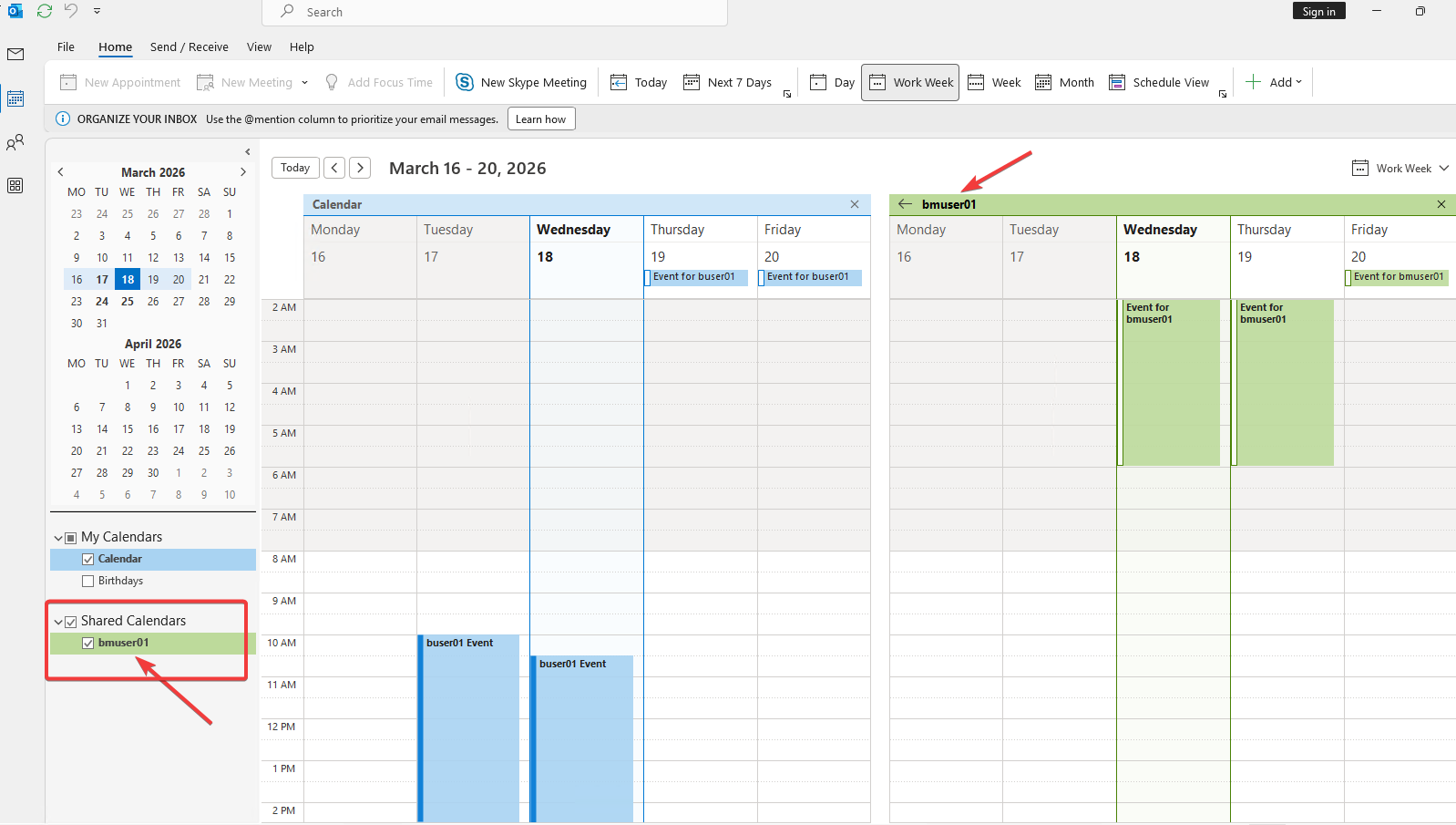
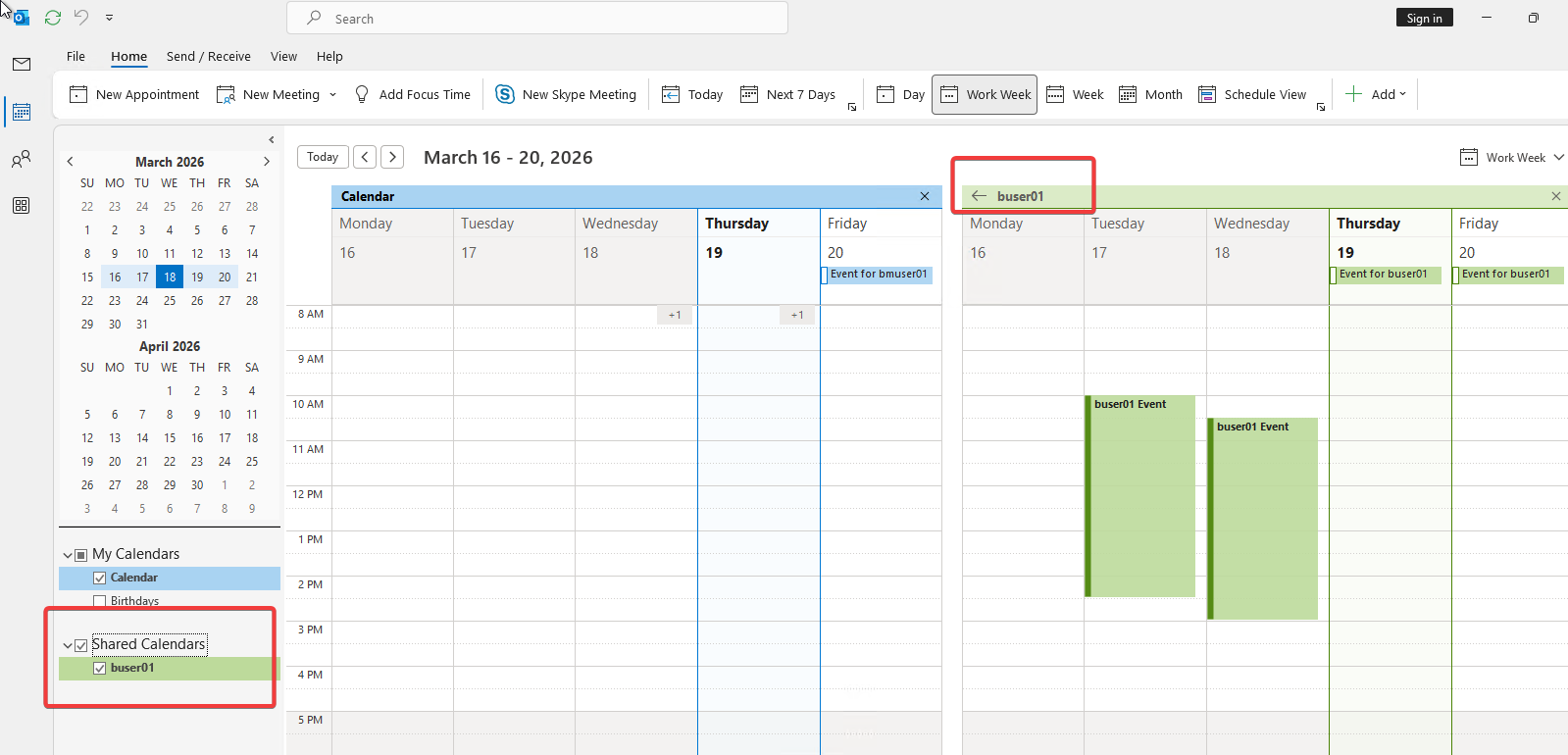
After assigning permission:
- Calendar opens successfully
- Subject and details are visible
Step 5 – Migrate Mailbox to Exchange Online
Move bmuser01 to Exchange Online using Hybrid migration (batch or remote move).
After migration:
- buser01 → on-prem
- bmuser01 → Exchange Online
Step 6 – Test After Migration (Both Directions)
After the migration, test calendar access from both sides.
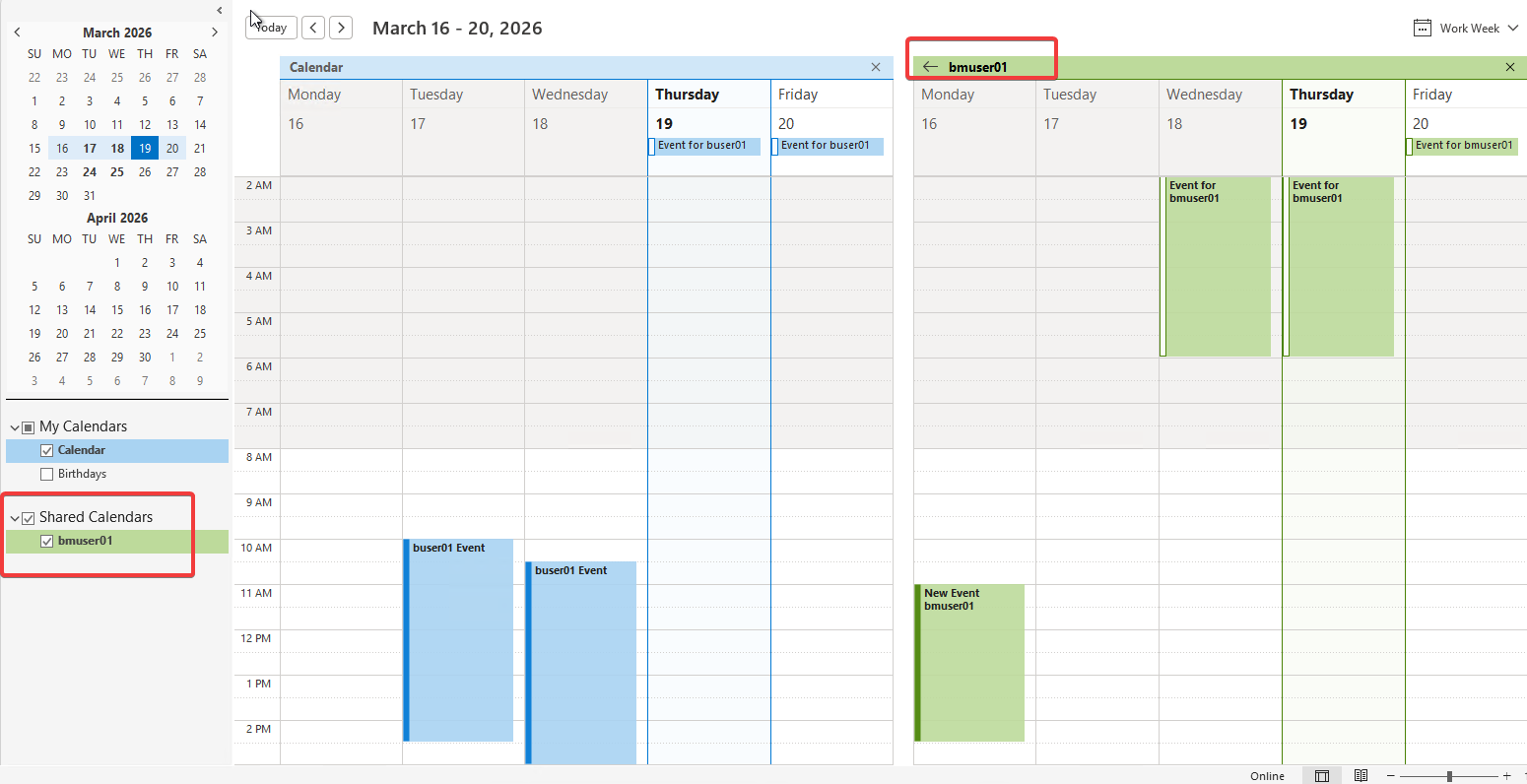
Test 1 – On-Prem → Exchange Online
User: buser01 (on-prem)
Target: bmuser01 (Exchange Online)
- Add calendar from Outlook
- Calendar opens successfully
- Full details are visible
Test 2 – Exchange Online → On-Prem
User: bmuser01 (Exchange Online)
Target: buser01 (on-prem)
- Add calendar from Outlook or OWA
- Calendar opens successfully
- Full details are visible
Summary
Shared calendar access continues to work in both directions after migration. The on-prem user can access the Exchange Online mailbox shared calendar, and the Exchange Online user can access the on-prem mailbox shared calendar without any issues.
Explicit shared calendar permissions remain intact and fully functional after hybrid mailbox migration. Permissions assigned before the move are preserved because they are stored within the mailbox and move together with it.

Ceyhun is a Cloud Solution Architect focused on Exchange Hybrid and Microsoft 365. He shares real-world problems, migrations, and solutions from actual production environments.